Data recovery from MSI laptops
Game saves, coursework, client projects, years of photos. When an MSI gaming laptop fails, we recover the files from its SSD or hard drive, whatever has happened to the laptop around it.
What we recover data from
- NVMe and SATA SSDs that are no longer detected, including firmware and electronic faults
- MSI laptops that will not switch on or will not start Windows
- Twin-SSD RAID 0 arrays, as fitted to Titan and older GT models
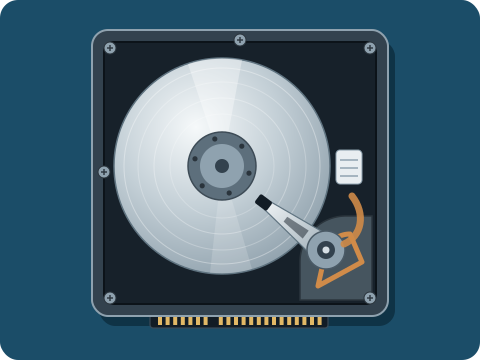
- Hard drives that click, grind or have stopped spinning, in older GF, GL and GP models
- Deleted files, formatted drives and lost partitions
- Laptops damaged by liquid or a fall
- Drives hit by a virus or ransomware
- External drives and USB sticks you used for backups
What to do when a drive fails
- Stop using the laptop. Every minute a failing drive runs can make recovery harder.
- Do not keep restarting it to see whether it comes back.
- Do not install recovery software on the same drive. It can overwrite the files you want.
- Do not reinstall or reset Windows. On an SSD, a reset can make deleted data permanently unrecoverable.
- Do not open a hard drive. Dust inside it can destroy it.
How recovery works
We start by finding out whether the fault is logical (deleted files, or a corrupted or formatted drive) or physical (a drive that has failed electronically or mechanically). Logical recovery is usually quicker and costs less. Once we know what can be recovered we tell you, and the recovered files are copied to a new drive or to storage you supply.
SSDs are different
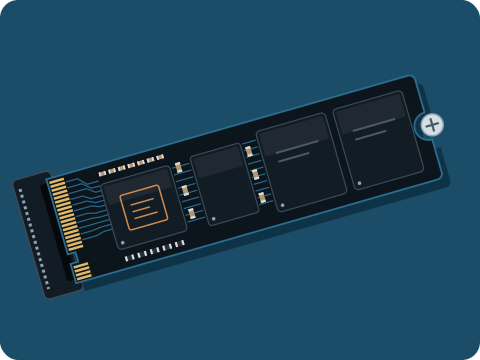
Almost every MSI gaming laptop since 2018 stores its data on an NVMe SSD. SSDs fail without warning, and they erase deleted data in the background, so speed matters more than it did with hard drives. If files have been deleted or the drive has started to misbehave, switch the laptop off and contact us before trying anything else.
What data recovery costs
The initial consultation is free. It tells us whether the fault is physical or logical and the best method of recovery. It does not include opening the drive in a clean room or any attempt at recovery. Prices are before VAT.
| Service | Price |
|---|---|
| Initial consultationTells us whether the fault is physical or logical. Does not include opening the drive. | Free |
| Deleted files on a standard hard driveLogical recovery. Includes up to two hours of work. | £99 |
| Longer logical recovery24 to 48 hours of recovery work: £150 for 1TB, up to £250 for 4TB. | £150 to £250 |
| Clean room diagnosticFor a drive with a physical fault. | £79 |
| Physical recovery on a single driveLabour, plus the cost of a donor drive if one is required. | £450 |
| SSD recoveryFirmware repair or electronic board repair, depending on complexity. | £450 to £650 |
| RAID 0 recoveryArrays of 2 to 10 drives, including MSI laptops shipped with two SSDs in RAID 0. | £650 |
| RAID 5, 6 or 10 recoveryDepends on the number of drives to repair and rebuild. | £850 to £1,500 |
| Ransomware file recoveryDepends on the type of ransomware and how much is affected. Please call to confirm. | £400 to £800 |
| Data transferFiles moved to a new laptop or a new drive. | Free quote |
If a physical recovery needs a donor drive, its cost is added to the labour price. We confirm a firm quote before any work starts.
Questions about data recovery
My MSI will not switch on. Are my files gone?
Almost certainly not. On nearly every MSI gaming laptop the SSD is a separate part from the motherboard. We remove it and copy your files, whether or not the laptop itself is repaired.
What about BitLocker?
Many Windows 11 laptops encrypt the drive automatically. Your files can still be recovered, but we need the BitLocker recovery key, which is normally saved in your Microsoft account. We can show you where to find it.
How will I get my files back?
On a new external drive, or on a drive you supply. Drives are charged at the market price at the time.
Is my data kept confidential?
Yes. Your files are used only to carry out and verify the recovery. Creative IT (UK) Ltd is registered with the Information Commissioner's Office, registration ZA060744.
Lost files on an MSI?
Switch it off, leave it off and tell us what happened. The consultation is free.